The pros of teaching without PowerPoint
PowerPoint was a central tool in the community of teachers I was inducted into. Almost everyone I knew used it to develop their lessons (or at least obtain a pre-made one). It was at once a sketchpad for planning as a paperwork exercise: slide decks doubled up as official curricular documents.
This latter point is important. Teachers are often stretched to the limits of their capacity. We might be able to plan our lessons, but asking for the additional paperwork is too much. Turning slide decks into both things at once was a life-saving trick.
But it came with consequences; to work well, the number of solutions must match the number of problems. The lesson is a completely different problem from the formatted lesson plan. We can’t do both well with a single tool.
What I loved about PowerPoint as an early-career teacher was its ability to set in stone my thoughts. I could place the exact pictures and text I wanted, in the order that I thought was best. I could add precise questions and mark schemes in the right sequence. I could even include notes to myself to remember to mention something just as it ought to arise. I thought I’d never stop using it.
Teaching and Presenting
PowerPoint wasn’t always called this. It was originally known as “Presenter” and was developed by a company aptly named “Forethought”. We should, of course, plan and think through how our lesson may unfold. But what if displaying presentations nudges us, unwittingly, towards presenting?
The tools we use influence how we act; they offer us affordances and constraints. Presentations, by their nature, lure us into presenting. We may become presenters instead of teachers.
It’s something I only noticed when I stopped using it and began to draw my lessons on the whiteboard. My students appeared much happier with our lessons; they followed and participated more readily. It felt like I was more in touch with their thoughts.
Lingering on my desk, however, were my slides. I’d leave my laptop screen open so I could see the lesson/lesson plan. I felt something new, as if I was being pulled in different directions. The dialogue with students felt more organic and real, but every time I glanced at my screen, the slides lured me back.
The slides were forethought, but the lesson conversation would unfold unforeseeably. The dialogue encouraged me to respond organically. The slides urged me to keep momentum with previous thoughts, rhythms and sequences, all forethought for other students, courses, and pedagogical understanding.
I began to see the slide deck as a mediator hindering direct communication. It stood between our interactions, manipulating them in ways that weren’t natural to our conversation. One day, I decided to make a clean break; I started taking photos of the drawings I taught with.
At first, stuck with old habits, I would insert the image into the corresponding PowerPoint. Old habits are hard to kick, and when the presentation was open on my screen, I’d be tempted to look at other slides. Maybe I’d just search for an image among them, for example, but even this would drive a different course in the lesson. I’d begin looking at more, and the lesson took a turn towards the sequence of slides and old thoughts.
The benefits of drawing with students over presenting to them
Freedom from rigidity
Slides suffer the same problem as words: they must come one at a time in a linear way. Our ideas, in contrast, are interconnected in nonlinear ways and project in many directions at once. While slides allow us to present ideas one at a time, drawing diagrams with students lets us represent the interconnections organically, as they arise in conversation.
While slide decks can be designed to build diagrams section by section, their sequence is set in stone. There isn’t a conversation between the students, the teacher, and the slide deck. We don’t edit the slides together as the lesson proceeds, nor do the slides adapt themselves to the dialogue. Drawing diagrams removes this mediator so that whatever needs to be drawn next emerges from the dialogue.
Often, however, PowerPoint is used to present complete diagrams. When this occurs, students often struggle to distinguish what’s important. There may be too much information at once, too many differences to interpret, and students can be overwhelmed.
When Fiorella and Mayer (2016) found that students learnt more from a teacher who drew, rather than presented, diagrams, they also noticed the fundamentally human aspect of lessons. The improvement was only observed when the students saw the teacher’s body or hand as they drew.
Freedom from information overload
When planning, we’re confronted with infinite possibilities. We can literally make endless presentations without restrictions; we can fit all the information into the lesson that we wish. Yet, for the student, a problem arises. As the slides keep passing, the information from the older slides becomes harder to remember. Slide decks create transient information as crucial images appear and then vanish, leading students to become overwhelmed.
With a whiteboard, or, my personal favourite, a sheet of paper (with a camera), space is finite. Planning is no longer about filling slides but deciding what gets on the paper: what matters? If you can’t fit that on a single sheet, then you’re likely teaching too much already. And, as the whiteboard or paper remains visible throughout the lesson, no key information ever vanishes.
Removing the intermediate
To make a clean break from PowerPoint, I needed to rid myself of the software. This was difficult after years of building lessons and resources within its slides; it’d take a transition period.
Slide decks are useful for presenting questions, and other resources, and I still use PowerPoint for this. The key was to make them available when I needed them. To do this, I decentralised my resources. Before, everything for a lesson was centralised in a single slide deck. Now, I have my images in a single folder, and videos in another; rapidly searchable using Window’s search function. (Or, I simply use the internet for images mid-lesson.)
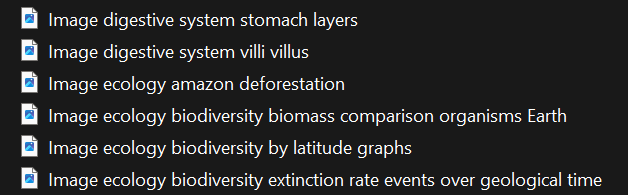
I store exam questions in separate, searchable slide decks. I can reach for them whenever they’re needed and don’t appear in a “lesson slide deck”.

Most importantly, my lesson plans are now diagrams. I include some notes about images and videos I might want to show. The lesson itself isn’t the diagram; the lesson is what emerges as we bring forth the diagram in conversing. The diagrams are then shared with the class, so any absent students can learn what we covered.
Here are two examples. Beware, my diagrams did not look this good when I started drawing; when you’re doing this for five hours a day, you get better quickly. Imagine the joy of planning by drawing rather than in front of a screen.
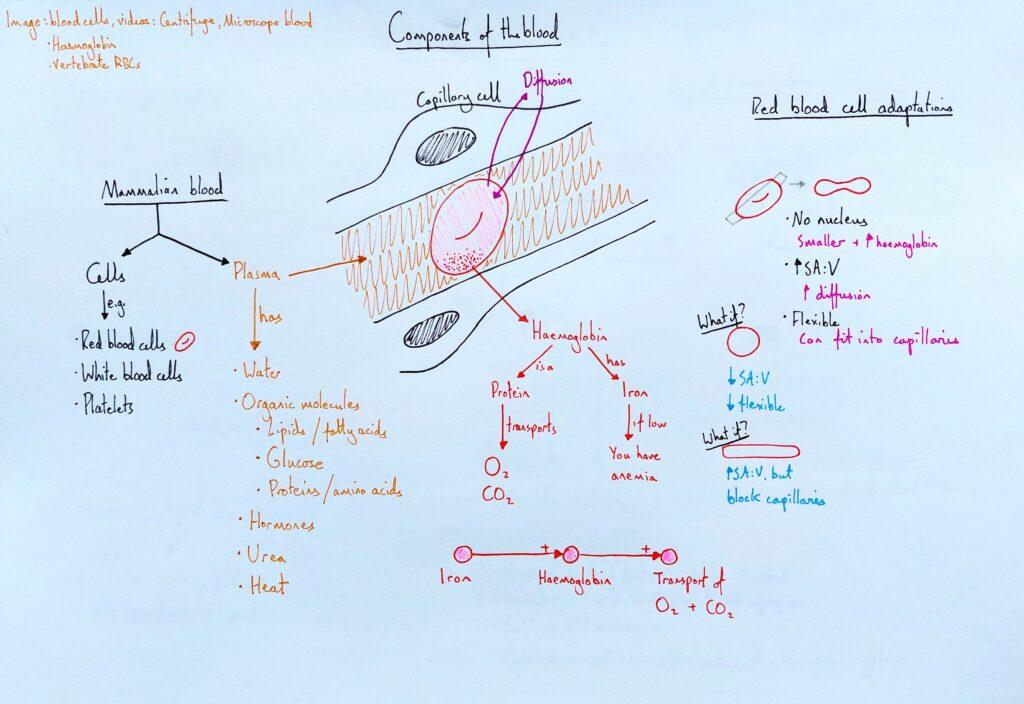
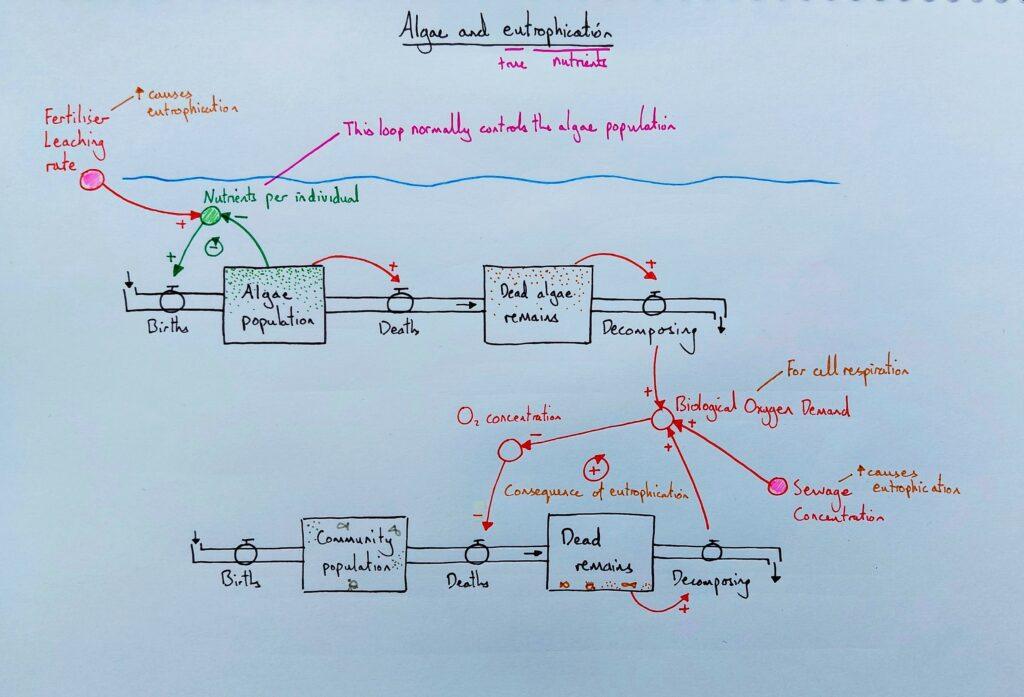
The slide deck is, for many, a security net. It provides diagrams, content, and ideas in a sequence because the teacher is worried about forgetting mid-lesson what to say, do, or cover. Teachers feel they couldn’t teach without a collection of resources to help them. Yet, I still have my lesson resources, plans, and question banks.
Teachers say they feel exposed without the slide deck. This, for me, highlights the middling relationship it can take, and its central problem. The lesson isn’t a presentation; it’s a conversation between teachers, students, and problems to solve.
Slide decks can rapidly become the lesson. A diagram, instead, is just the object of the conversation; the dialogue is the lesson. The lesson, then, is the raw interaction in which we coordinate meanings; if we’re not careful, slide decks can get in the way. Learn more about teaching as coordinating meaning in my book Teaching Meaning. And see how to draw models specifically in biology classes, see my book Difference Maker.
References
Fiorella, L., & Mayer, R.E. 2016. “Effects of observing the instructor draw diagrams on learning from multimedia messages.” Journal of Educational Psychology 108: 528–546.